

The Ultimate Guide to Solving WordPress Plugin Bloat and Speed Issues
WordPress is a powerful content management system (CMS) that allows users to create and manage websites with ease. One of its most appealing features is the extensive library of plugins available, which can enhance functionality and improve user experience. However, the convenience of plugins can lead to a phenomenon known as “plugin bloat.” This term refers to the excessive use of plugins that can slow down a website, create security vulnerabilities, and complicate site management.
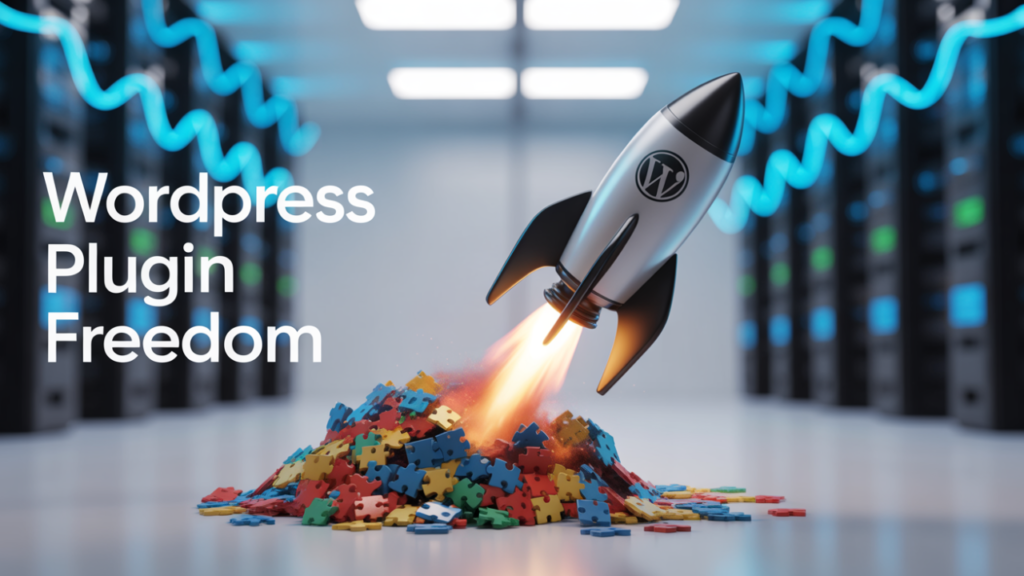
Understanding plugin bloat is crucial for anyone looking to maintain a high-performing WordPress site. Plugin bloat occurs when a website has too many plugins installed, often leading to redundancy and conflicts between them. Each plugin adds its own code, which can increase the load time of your site and affect overall performance.
Table of Contents
For instance, if you have multiple plugins that perform similar functions—like SEO optimization or social media sharing—you may not only be wasting resources but also creating potential conflicts that could disrupt your site’s functionality. Recognizing the signs of plugin bloat is the first step toward optimizing your WordPress experience.
Key Takeaways
- Plugin bloat significantly slows down WordPress website speed and performance.
- Evaluating and selecting only essential, high-performance plugins helps streamline your site.
- Implementing caching, minification, and CDNs can greatly enhance loading times.
- Regular monitoring, testing, and database optimization are crucial for maintaining plugin efficiency.
- Consistent maintenance and best practices in plugin management prevent performance degradation.
Identifying the Impact of Plugin Bloat on Website Speed
The impact of plugin bloat on website speed can be significant and detrimental to user experience. When a website takes too long to load, visitors are likely to leave before even seeing the content. Studies have shown that a delay of just a few seconds can lead to increased bounce rates and decreased conversions.
This is particularly concerning for businesses that rely on their websites for sales or lead generation.
Therefore, understanding how plugin bloat affects speed is essential for maintaining an effective online presence. Moreover, each plugin you install can introduce additional HTTP requests, which are necessary for loading various elements of your site.
The more requests your server has to handle, the longer it takes for your website to load. For example, if you have a plugin for social sharing buttons, another for SEO analysis, and yet another for analytics tracking, each of these will require separate requests. As a result, your website’s performance can suffer, leading to frustrated users and lost opportunities.
Identifying and addressing plugin bloat is vital for ensuring that your site remains fast and responsive. You can Get My Service Now to enhance your project with professional expertise.
Evaluating the Performance of WordPress Plugins

To effectively manage plugin bloat, it’s essential to evaluate the performance of each plugin you use. Not all plugins are created equal; some are optimized for speed and efficiency, while others may be poorly coded and resource-intensive. A thorough evaluation involves checking the plugin’s reviews, update history, and compatibility with your current WordPress version.
This information can provide valuable insights into how well a plugin will perform on your site.
Additionally, consider the specific features you need from each plugin. For instance, if you’re using an SEO plugin, assess whether it offers all the functionalities you require without unnecessary extras that could slow down your site.
You might find that a simpler, more streamlined plugin can achieve the same results without adding to your site’s bloat. By carefully evaluating each plugin’s performance and necessity, you can make informed decisions that enhance your website’s efficiency.
Streamlining Your Plugin Selection Process
Streamlining your plugin selection process is crucial for avoiding plugin bloat and ensuring optimal website performance. Start by defining your website’s specific needs and goals. What functionalities are essential for your site?
By prioritizing these needs, you can focus on finding plugins that serve a clear purpose rather than installing multiple options that overlap in functionality. Another effective strategy is to limit the number of plugins you use by opting for multifunctional plugins whenever possible. For example, instead of using separate plugins for SEO, social sharing, and analytics, look for an all-in-one solution that covers these areas without compromising performance.
This approach not only reduces the number of plugins but also minimizes potential conflicts and improves loading times.
Implementing Best Practices for Plugin Management
| Metric | Description | Before Optimization | After Optimization | Improvement |
|---|---|---|---|---|
| Page Load Time | Time taken for a page to fully load (seconds) | 5.8s | 2.3s | 60.3% |
| Number of Active Plugins | Total active plugins on the WordPress site | 25 | 10 | 60% |
| Database Queries per Page Load | Number of queries executed during page load | 120 | 45 | 62.5% |
| Page Size | Total size of the page including scripts and styles (KB) | 1500 KB | 700 KB | 53.3% |
| Time to First Byte (TTFB) | Time taken for the server to respond (milliseconds) | 800 ms | 350 ms | 56.3% |
| Plugin Load Impact | Average CPU usage caused by plugins (%) | 35% | 12% | 65.7% |
| HTTP Requests | Number of HTTP requests made by plugins | 75 | 30 | 60% |
Implementing best practices for plugin management is essential for maintaining a healthy WordPress site. Regularly reviewing your installed plugins is a good starting point; remove any that are outdated or no longer in use. Keeping your plugins updated is equally important, as developers frequently release updates to improve performance and security.
An outdated plugin can become a liability, potentially exposing your site to vulnerabilities. Additionally, consider using a staging environment to test new plugins before deploying them on your live site. This allows you to assess their impact on performance without risking your site’s functionality.
By following these best practices, you can ensure that your WordPress site remains efficient and secure while minimizing the risks associated with plugin bloat.
Utilizing Caching and Minification Techniques
Caching and minification techniques are powerful tools for improving website performance and combating the effects of plugin bloat. Caching involves storing static versions of your web pages so that they load faster for returning visitors. When a user accesses your site, instead of generating the page from scratch each time, the server delivers the cached version, significantly reducing load times.
Minification, on the other hand, refers to the process of removing unnecessary characters from code—such as spaces, comments, and line breaks—without affecting its functionality. This reduces file sizes and speeds up loading times. Many caching plugins offer built-in minification features, allowing you to optimize your site’s performance with minimal effort.
By utilizing these techniques, you can enhance user experience while mitigating the impact of plugin bloat.
Optimizing Database Queries and Requests
Optimizing database queries and requests is another critical aspect of improving WordPress performance in light of plugin bloat. Every time a user visits your site, WordPress queries the database to retrieve content and settings. If these queries are inefficient or excessive due to poorly coded plugins, it can lead to slower load times and increased server strain.
To optimize database queries, start by identifying any slow queries using tools like Query Monitor or New Relic. These tools can help pinpoint which plugins or themes are causing delays in database access. Once identified, consider alternatives or optimizations for those specific queries.
Additionally, regularly cleaning up your database by removing post revisions, spam comments, and unused tables can help streamline its performance and reduce load times.
Implementing Content Delivery Networks (CDNs)
Implementing a Content Delivery Network (CDN) is an effective strategy for enhancing website speed and performance while addressing issues related to plugin bloat. A CDN is a network of servers distributed across various geographical locations that store cached versions of your website’s content. When a user accesses your site, the CDN delivers content from the server closest to them, reducing latency and improving load times.
Using a CDN not only speeds up content delivery but also alleviates some of the load on your web server by distributing traffic across multiple servers. This can be particularly beneficial if you have high traffic volumes or if your site includes large media files such as images or videos. By integrating a CDN into your WordPress setup, you can enhance user experience while minimizing the impact of plugin bloat on performance.
Monitoring and Analyzing Website Performance
Monitoring and analyzing website performance is crucial for identifying issues related to plugin bloat and ensuring optimal functionality. Regularly checking key performance metrics—such as page load times, bounce rates, and user engagement—can provide valuable insights into how well your site is performing. Tools like Google Analytics and GTmetrix offer comprehensive reports that help you track these metrics over time.
In addition to monitoring overall performance, pay attention to specific pages or features that may be affected by certain plugins. If you notice that particular pages are loading slowly or experiencing high bounce rates, it may be worth investigating which plugins are active on those pages. By analyzing this data regularly, you can make informed decisions about which plugins to keep or remove based on their impact on user experience.
Utilizing Performance Testing Tools
Utilizing performance testing tools is an essential step in managing plugin bloat effectively. These tools allow you to assess how well your website performs under various conditions and identify areas for improvement. Popular options include Pingdom, WebPageTest, and Google PageSpeed Insights, each offering unique features that help analyze different aspects of website performance.
When using these tools, focus on key metrics such as load time, time to first byte (TTFB), and overall page size. These metrics provide insights into how quickly users can access your content and how efficiently your site operates. By regularly testing your site’s performance with these tools, you can identify any plugins that may be causing slowdowns and take appropriate action to optimize their impact.
Regular Maintenance and Optimization Practices for WordPress Plugins
Regular maintenance and optimization practices are vital for keeping your WordPress site running smoothly in light of potential plugin bloat issues. Schedule routine checks to review installed plugins—removing any that are outdated or no longer necessary—and ensure that all remaining plugins are updated to their latest versions. This not only enhances security but also improves compatibility with the latest WordPress updates.
Additionally, consider implementing a regular backup schedule to safeguard your site’s data before making significant changes or updates to plugins. This way, if any issues arise during updates or installations, you can easily restore your site to its previous state without losing valuable content or functionality. By committing to these maintenance practices, you can ensure that your WordPress site remains efficient and user-friendly while minimizing the risks associated with plugin bloat.
If you’re looking to enhance your WordPress site’s performance further, you might find it beneficial to explore the article on the latest web design trends. Understanding these trends can help you optimize your site not just for speed but also for user experience. Check out the article titled Best Web Design Trends to Expect in 2026 for insights that can complement the strategies discussed in “The Ultimate Guide to Solving WordPress Plugin Bloat and Speed Issues.”
FAQs
01. What is plugin bloat in WordPress?
A: Plugin bloat refers to the excessive use of WordPress plugins that can slow down a website by consuming too many resources, causing longer load times and reduced performance.
02. How can I identify if a plugin is causing speed issues on my WordPress site?
A: You can identify problematic plugins by using performance testing tools like GTmetrix, Pingdom, or Google PageSpeed Insights, and by selectively deactivating plugins to see if site speed improves.
03. Are all WordPress plugins bad for site speed?
A: No, not all plugins cause speed issues. Well-coded and regularly updated plugins typically have minimal impact on site performance. Problems usually arise from poorly optimized or redundant plugins.
04. What are some common causes of plugin bloat?
A: Common causes include installing too many plugins, using plugins with overlapping functionalities, outdated plugins, and plugins that load unnecessary scripts or styles on every page.
05. How can I reduce plugin bloat on my WordPress site?
A: To reduce plugin bloat, audit your plugins regularly, remove or replace unnecessary or redundant plugins, combine functionalities where possible, and choose lightweight, well-maintained plugins.
06. Can caching plugins help with speed issues caused by plugin bloat?
A: Yes, caching plugins can improve site speed by storing static versions of pages, reducing server load. However, they do not eliminate the root cause of plugin bloat but can mitigate its effects.
07. Is it better to use one multifunctional plugin or several single-function plugins?
A: Using one well-optimized multifunctional plugin can reduce bloat by minimizing the number of active plugins, but it depends on the plugin’s quality and your site’s specific needs.
08. How often should I review my WordPress plugins for performance?
A: It is recommended to review your plugins at least every few months or whenever you notice a decline in site speed or performance.
09. Can updating plugins improve site speed?
A: Yes, updating plugins can improve speed and security as developers often optimize code and fix bugs in newer versions.
10. What tools can I use to monitor and optimize WordPress plugin performance?
A: Popular tools include Query Monitor, P3 (Plugin Performance Profiler), GTmetrix, Google PageSpeed Insights, and New Relic for in-depth performance analysis.